Web Space
Where code meets creativity to build modern, user-first digital environments
The Web Space bridges the gap between code and human experience. Here, we demystify frontend development, user interface design, and modern web architecture. Learners explore how to create clean, responsive, and secure digital environments while maintaining a healthy, balanced approach to development in an ever-evolving internet landscape.
Web Knowledge Base
Explore the fundamental axioms, primary concepts, and underlying logic defining modern web experiences.
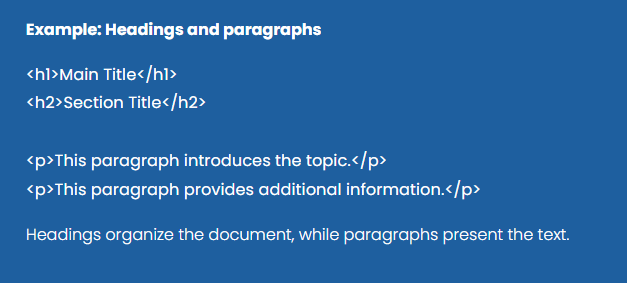
HTML provides several elements for organizing textual content. Headings (<h1> to <h6>) define the hierarchical structure of a page, while paragraphs (<p>) are used for blocks of text. Proper use of these elements helps create clear and readable web pages and improves accessibility and search engine indexing.
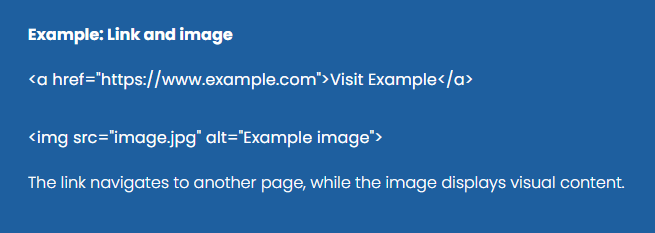
Hyperlinks and images are fundamental components of web pages. The <a> element allows users to navigate between pages or resources by clicking a link, while the <img> element is used to display images. These elements make web content interactive and visually engaging.
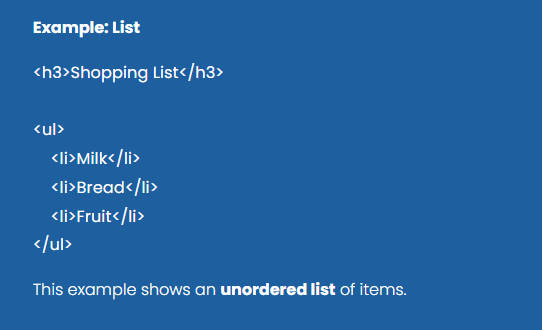
HTML supports ordered lists, unordered lists, and list items to structure related information. Lists help organize content in a logical and easy-to-read format, such as menus, steps in a process, or grouped items. They are commonly used in navigation menus and structured content sections.
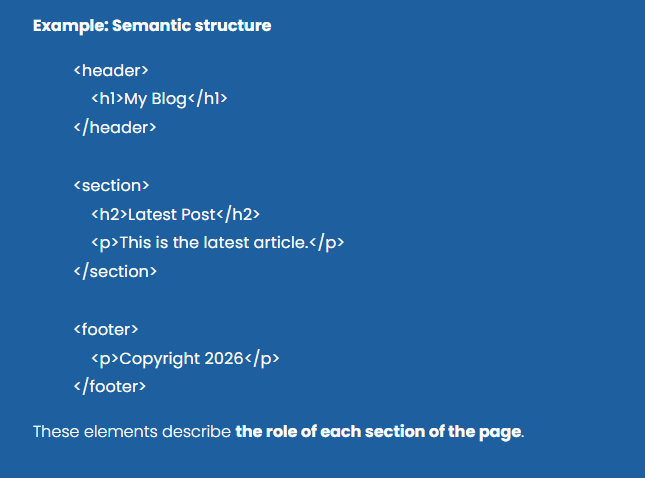
Semantic HTML elements provide meaningful structure to web pages by describing the purpose of different sections of content. Elements such as <header>, <nav>, <section>, <article>, and <footer> help organize the layout of a page and improve both accessibility and search engine understanding.
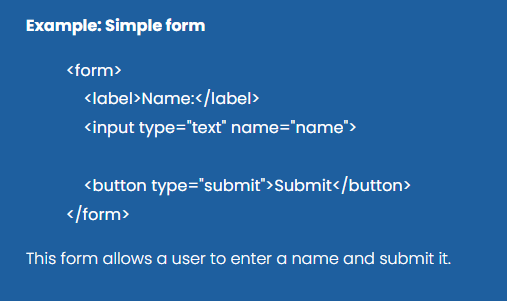
Forms allow users to interact with web pages by entering and submitting information. HTML provides a variety of form elements, including text fields, checkboxes, radio buttons, and buttons. These elements are used to collect user data and send it to servers for processing.

HTML documents are built from elements defined by tags. Most elements consist of an opening tag, content, and a closing tag, while some elements are self-closing. Tags describe the meaning and role of the content they enclose, allowing browsers to interpret the structure and display the page correctly.
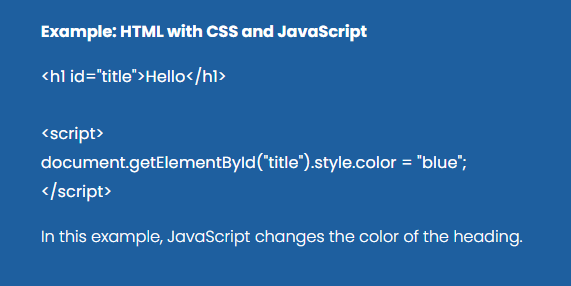
HTML works together with other technologies to create modern web applications. While HTML defines the structure of a page, CSS controls the visual presentation and JavaScript adds interactive behavior. Understanding this relationship is essential for building functional and visually appealing web pages.
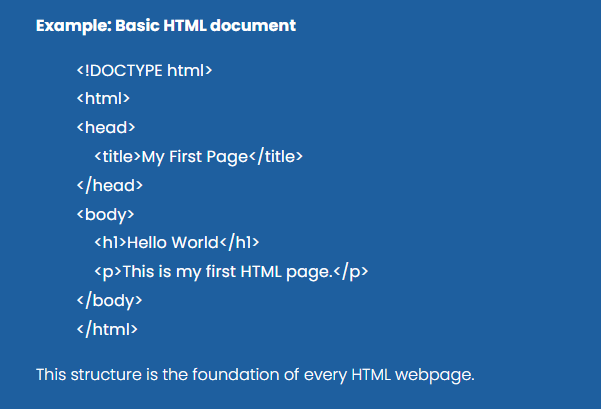
Every HTML document follows a basic structure that organizes the content of the page. The document begins with a declaration and contains a root <html> element that includes two main sections: the <head>, which stores metadata about the page, and the <body>, which contains the visible content displayed in the browser.
Web Research Journal
Researching next-generation web architectures, responsive system frameworks, and interactive high-performance browser environments. The research journal is a repository of browser environment research, web optimization frameworks, technical logs, and foundational script architecture analysis.

A well-structured project typically includes several key sections to ensure clarity and comprehensive coverage. These sections often start with an Introduction, outlining the project’s purpose and objectives.
A well-structured website typically includes several key sections to enhance user experience and convey information effectively. The homepage serves as the introduction, providing an overview and easy navigation to other parts of the site.

A well-structured webpage typically includes several key sections to enhance user experience and convey information effectively. Starting with a clear header that features the logo and navigation menu, users can easily find their way around the site.

A typical HTML page can include a variety of elements. Each element serves a specific purpose in structuring content, enhancing accessibility, and improving user interaction on a web page.

An XML file is structured as a hierarchical tree of elements, beginning with a single root element that encloses all other elements. Each element consists of a start tag, content, and an end tag, with elements optionally containing attributes that provide additional information.

JSON (JavaScript Object Notation) is a lightweight data interchange format that is easy for humans to read and write, as well as easy for machines to parse and generate.
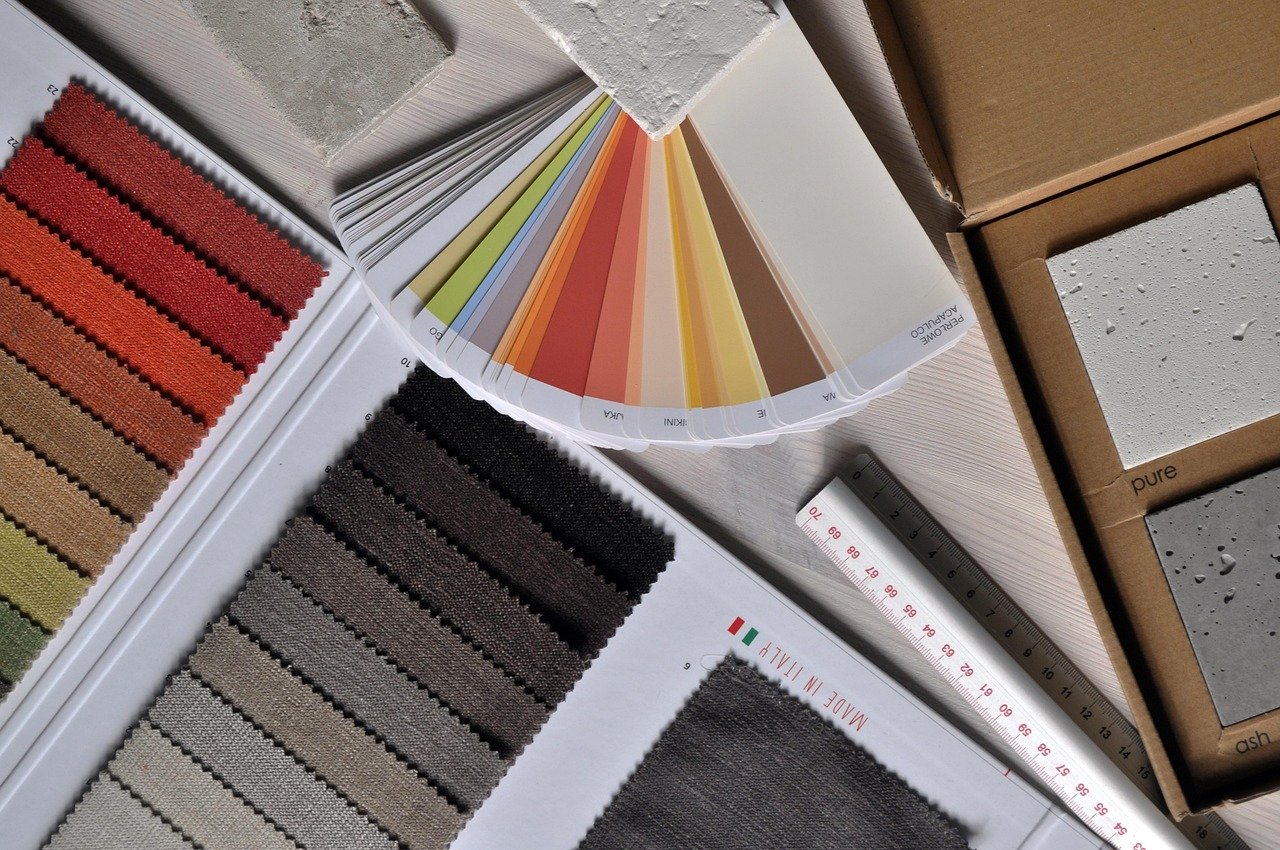
Structured information is absolutely vital for efficient data management and effective decision-making processes.
Web Studio
Tehnif Web Studio is a Windows desktop application for local web prototyping and performance modeling, built as a space for learning, exploration, and experimentation. It empowers users to engage with design concepts and experiment with interactive tools, turning abstract ideas into tangible, structured experiences.
Creative layouts significantly enhance design by thoughtfully arranging text, images, and various elements in a way that guides viewers’ attention, improves readability, and effectively reflects the brand’s unique identity.

The intro layout of a software application or website plays a crucial role in setting the tone for user interaction. It serves as the first impression, offering users a glimpse into what to expect and guiding them on how to navigate further.
In designing a cards layout, careful consideration must be given to the visual hierarchy and information architecture of the content being presented. Each card acts as a self-contained unit, displaying concise yet meaningful information to users in a digestible format.

Text headings play a crucial role in structuring content and improving readability. By providing a visual hierarchy, headings help readers scan and understand the relationship between different sections of text.

Creative text paragraphs are a versatile tool in written communication, allowing for the expression of ideas in a structured yet engaging manner.
HTML (HyperText Markup Language) is the standard language used to structure content on the web. It uses markup elements called tags to describe different parts of a webpage, such as headings, paragraphs, links, and images. Web browsers interpret these tags and render the content accordingly, allowing users to view structured information on the internet.