FD Split Excel Workbook
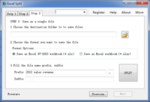 You may need to split a large workbook to separate Excel files with saving each worksheet of the workbook as an individual Excel file. For example, you can split a workbook into multiple individual Excel files and then deliver each file to different person to handle it. By doing so, you can get certain persons handle specific data, and keep your data safe. Split a workbook to separate Excel files one by one with copying and pasting? No! It is desperate to do the same thing over again. Split a workbook to separate Excel files with VBA code? No! I don’t Know how to program. Use “Split Excel Workbook Into Individual Excel File” application, you can split a large excel workbook easily in JUST THREE STEP! Step 1, Open the excel file Step 2, Select the sheets Step 3, Save as individual file
- Price: 29.00 USD
- Merchant: Fashion Digital
- Website: fashiondigital.net
This archive preserves our historical software database and system listings for research context. These legacy products are not maintained, sold, or actively endorsed by TEHNIF SOFTWARE. Retained as part of our foundational work to document the evolution of software development, this library helps trace how current modern tools, digital experiments, and engineering paradigms were originally derived and refined over time.